San Andreas / Skins / Neues Aussehen / Spielfigur
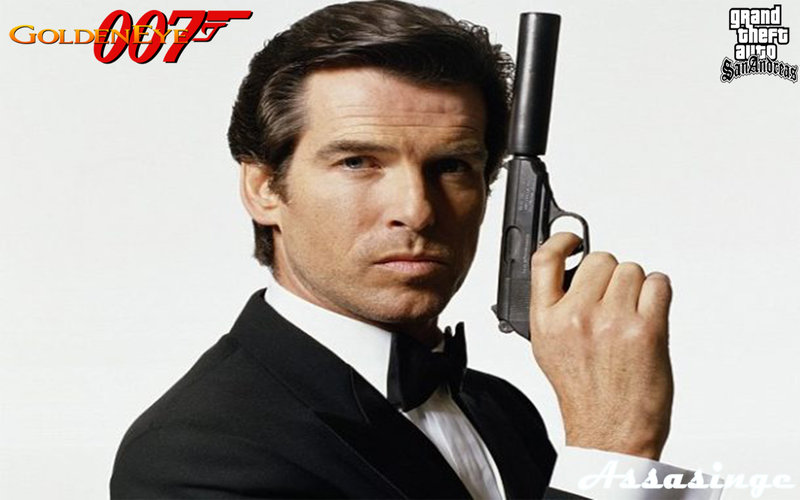
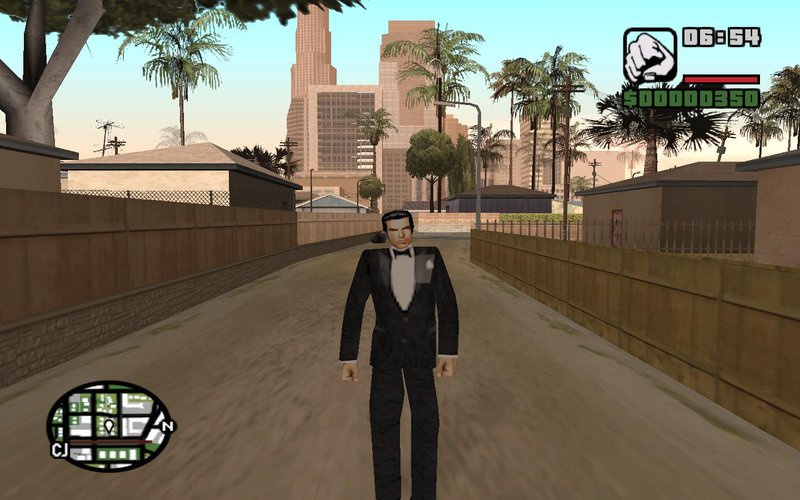
Bond Tuxedo from Goldeneye 64
- Assasinge | hochgeladen von Assasinge
- 02/08/2018
- 2396 Downloads
Bewertungen:
Bitte melde dich zuerst an.
Favoriten:
Videos
Noch keine Videos hinzugefügt.Du musst angemeldet sein, um Videos zu diesem Mod hinzuzufügen.
Beschreibung
This model is from Goldeneye 64 for the Nintendo 64.
This is James Bond in his Tux skin.
I'd like to give a shoutout to a good friend (who prefers to stay anonomous) who helped me through the rigging process with his 3DS Max Knowledge to help make this mod possible in the first place.
Installation: Make sure you have Skin Selector installed and ready to use in-game.
Download IMGTools, and run it. Open it as Admin and navigate to your GTA SA folder. If you have Skin Selector installed (and Cleo 3 for it to work) you'll find a "CLEO" folder.
Open the folder, and click on Skin.img and open it.
Now you can either replace the Bond 64.dff with any other .dff files in there, or add the file and rebuild the archive. Add Bond 64.txd to the img archive too.
That should be all. Thanks for downloading!
Email or PM me with any questions.
-Assasinge
This is James Bond in his Tux skin.
I'd like to give a shoutout to a good friend (who prefers to stay anonomous) who helped me through the rigging process with his 3DS Max Knowledge to help make this mod possible in the first place.
Installation: Make sure you have Skin Selector installed and ready to use in-game.
Download IMGTools, and run it. Open it as Admin and navigate to your GTA SA folder. If you have Skin Selector installed (and Cleo 3 for it to work) you'll find a "CLEO" folder.
Open the folder, and click on Skin.img and open it.
Now you can either replace the Bond 64.dff with any other .dff files in there, or add the file and rebuild the archive. Add Bond 64.txd to the img archive too.
That should be all. Thanks for downloading!
Email or PM me with any questions.
-Assasinge
Kommentare
Es wurden bisher 2 Kommentare gepostet.