GTA V / Skins / Neues Aussehen / Spielfigur
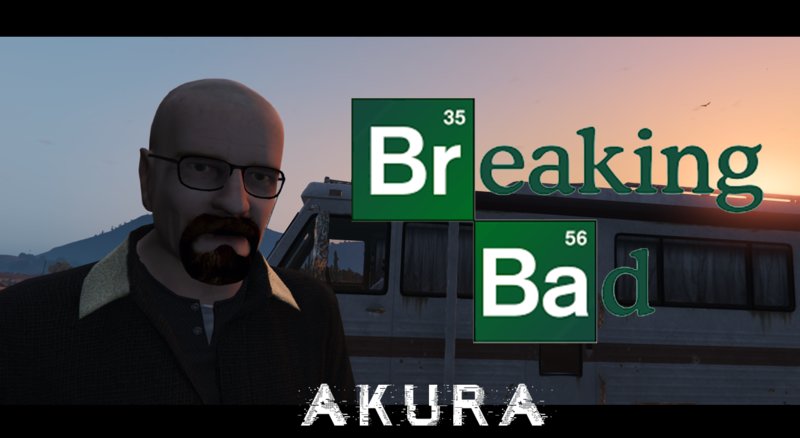
Walter White (Breaking Bad) 0.1 (current)
- Akura | hochgeladen von avavautz
- 05/23/2018
- 4199 Downloads
Bewertungen:
Bitte melde dich zuerst an.
Favoriten:
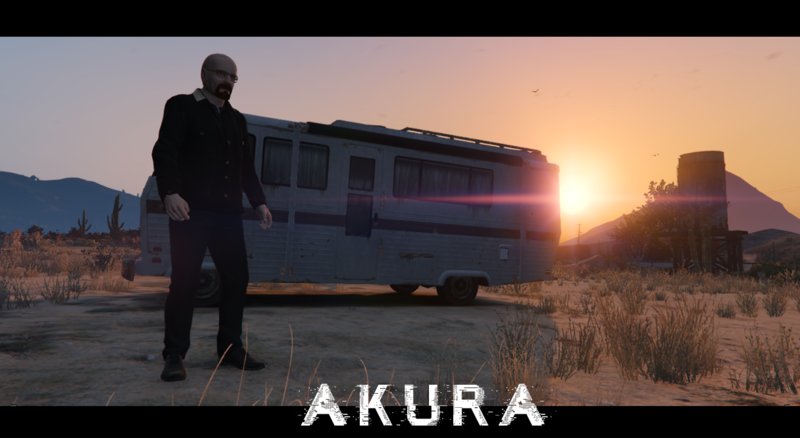
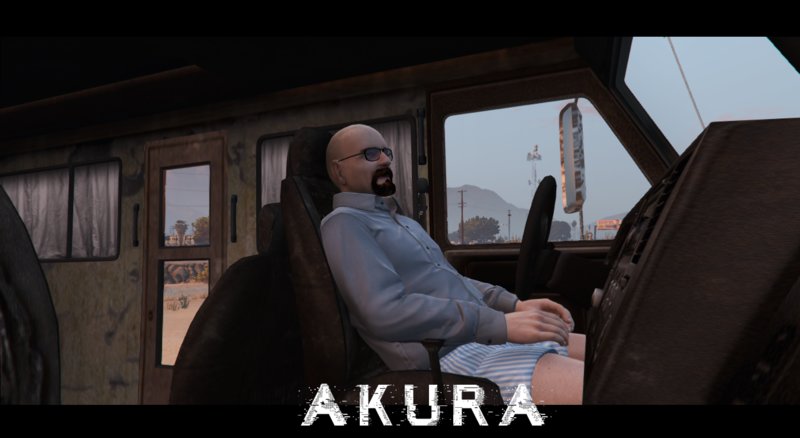
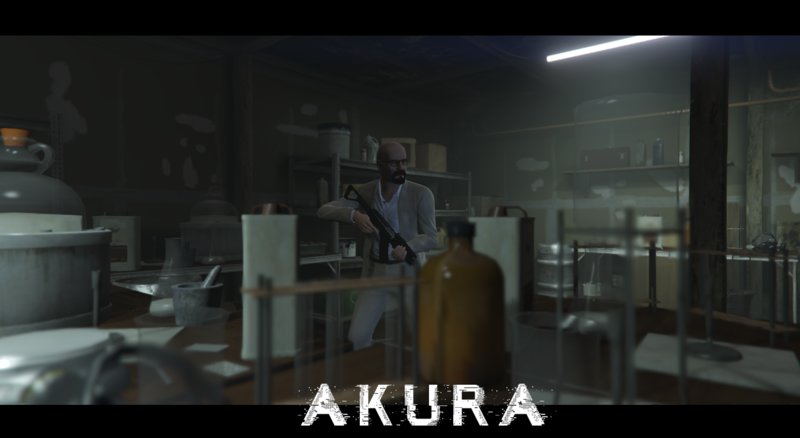
Videos
Noch keine Videos hinzugefügt.Du musst angemeldet sein, um Videos zu diesem Mod hinzuzufügen.
Beschreibung
Walter White from Breaking Bad by Akura
Model from : Neverstopş577 (http://steamcommunity.com/id/neverstops577)
HOW TO INSTALL :
1.Make sure you have OpenIV and have the plugin installed.
2. Go into GTA V in OpenIV and down to x64v.rpf and double click it, it should open up.
3. From here navigate to models/cdimages/streamedpeds_players.rpf/ and make sure Edit Mode is on.
4. Delete all the contents of the folder player_zero than drag and drop everything inside the folder I included named x64v into streampeds_players.rpf
5. Click on rebuild at the top left inside the File Category.
6. Head back up and navigate to update/x64/dlcpacks/mppatchesng/dlc.rpf/x64/models/cdimages/mppatches.rpf/
7. Find you're way down to player_zero and delete player_zero.ymt and the player_zero folder. *THIS IS WHERE YOU MIGHT WANT A BACKUP*
8. Click on rebuild at the top left inside the File Category
9. Head back up and navigate to update/x64/dlcpacks/patchday3ng/dlc.rpf/x64/models/cdimages/patchday3ng.rpf
10. Find you're way down to player_zero and delete player_zero.ymt and the player_zero folder. *THIS IS WHERE YOU MIGHT WANT A BACKUP*
11. Click on rebuild at the top left inside the File Category
12. Thats All! Enjoy and Have Fun :)
Model from : Neverstopş577 (http://steamcommunity.com/id/neverstops577)
HOW TO INSTALL :
1.Make sure you have OpenIV and have the plugin installed.
2. Go into GTA V in OpenIV and down to x64v.rpf and double click it, it should open up.
3. From here navigate to models/cdimages/streamedpeds_players.rpf/ and make sure Edit Mode is on.
4. Delete all the contents of the folder player_zero than drag and drop everything inside the folder I included named x64v into streampeds_players.rpf
5. Click on rebuild at the top left inside the File Category.
6. Head back up and navigate to update/x64/dlcpacks/mppatchesng/dlc.rpf/x64/models/cdimages/mppatches.rpf/
7. Find you're way down to player_zero and delete player_zero.ymt and the player_zero folder. *THIS IS WHERE YOU MIGHT WANT A BACKUP*
8. Click on rebuild at the top left inside the File Category
9. Head back up and navigate to update/x64/dlcpacks/patchday3ng/dlc.rpf/x64/models/cdimages/patchday3ng.rpf
10. Find you're way down to player_zero and delete player_zero.ymt and the player_zero folder. *THIS IS WHERE YOU MIGHT WANT A BACKUP*
11. Click on rebuild at the top left inside the File Category
12. Thats All! Enjoy and Have Fun :)
Kommentare
Es wurden bisher 4 Kommentare gepostet.