GTA V / Mods / Gebäude
Little Film Poster Change Contribution for Richard Majestic Productions - Back to the Oldschool
- mikesta | hochgeladen von mikesta
- 11/08/2024
- 1436 Downloads
Bewertungen:
Bitte melde dich zuerst an.
Favoriten:
Download
11.43Mb
11.43Mb
Videos
Noch keine Videos hinzugefügt.Du musst angemeldet sein, um Videos zu diesem Mod hinzuzufügen.
Beschreibung
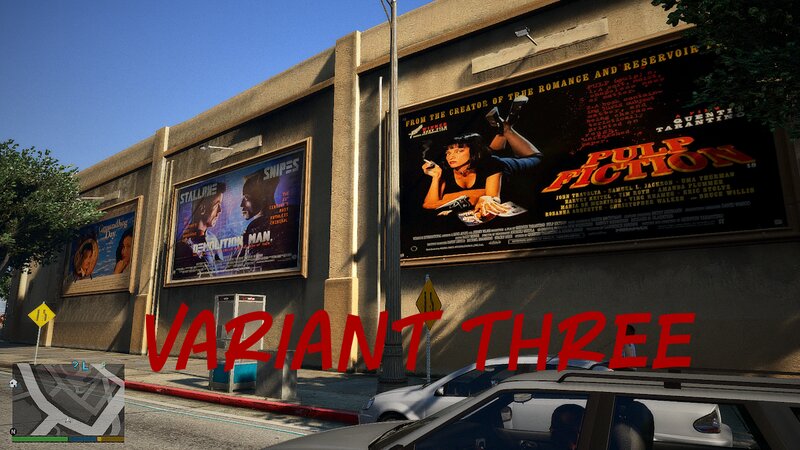
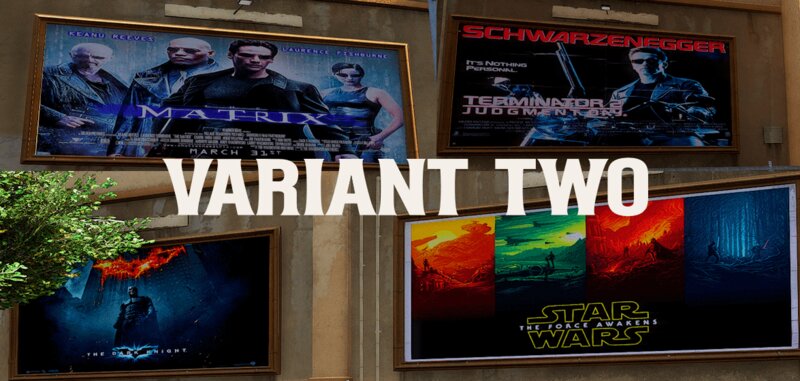
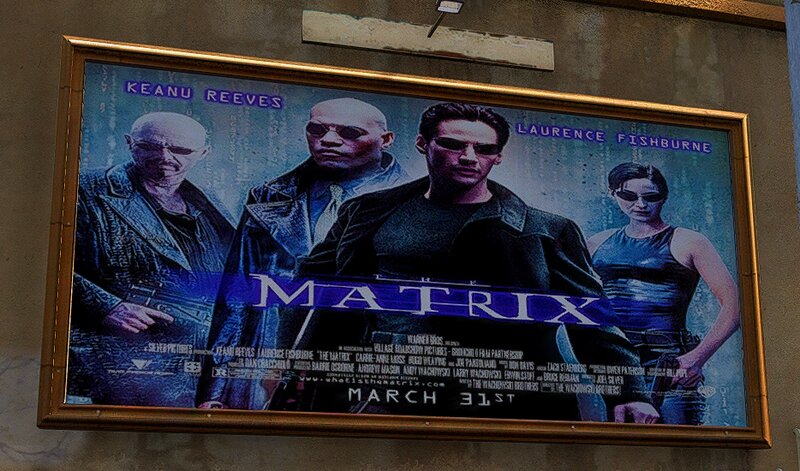
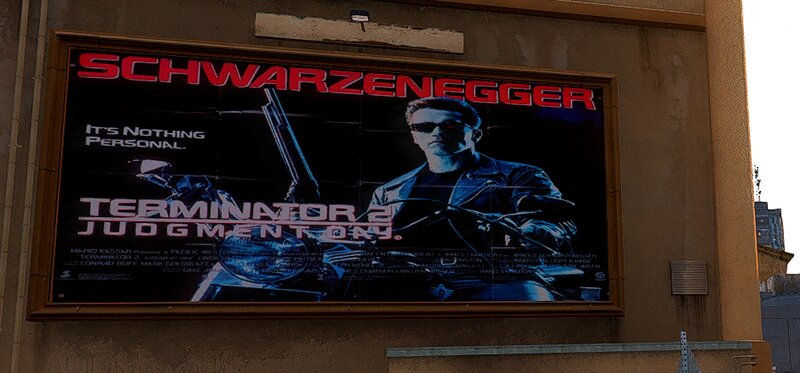
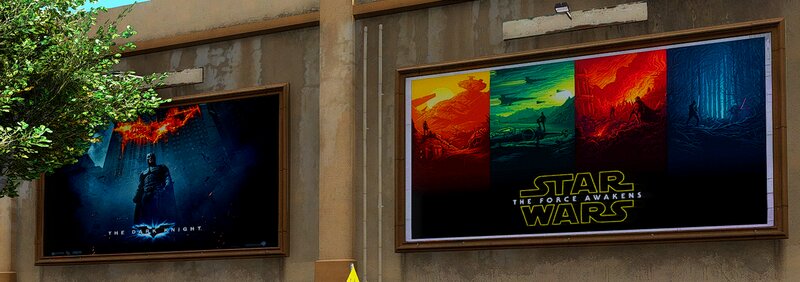
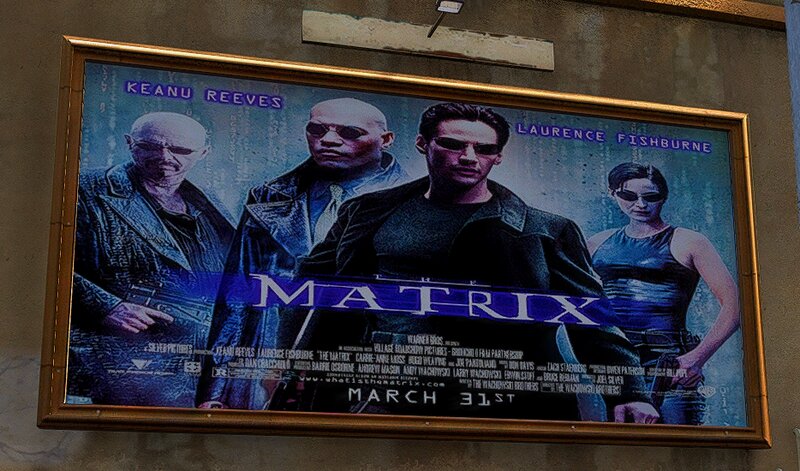
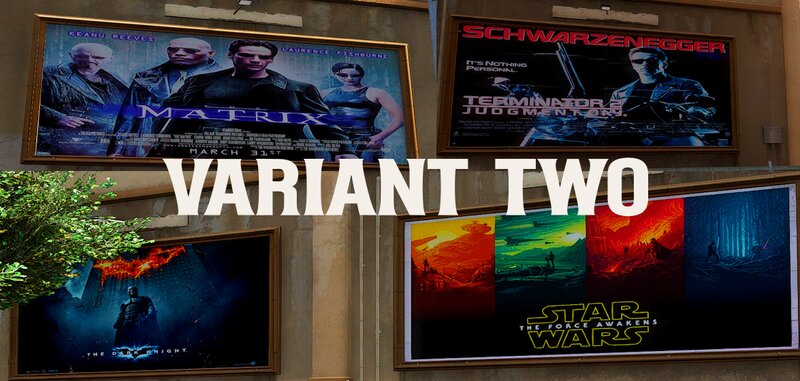
As the movies are getting more and more boring and the audience numbers are shrinking, holly- äh vinewood is forced to bring back old movies
to the big screen. So you could say that the oldschool days have arrived at Richards Majestic Productions.
Or in a nutshell I have a little film poster change contribution for you.
I actually wanted to insert current film posters first, but i don't really want to comment much on today's films ; o ).
HOW TO INSTALL:
1. open OpenIV and enable edit mode.
go to : mods > x64l.rpf > levels > gta5 > _cityw > berverly_01 > bh1_02.rpf
2. replace files of your choice.
3. for the superlod file
go to : mods\x64l.rpf\levels\gta5\_cityw\beverly_01\beverly.rpf\
open bh1_lod_02_03_05_children.ytd and replace the bh1_02_superlod file of your choice
4. In variant three you have to replace the bh1_02_ground.dds file in bh1_02_lod.ytd
This version comes with two different folders. one for the mod la revo_2 and one without la revo_2
If you use la revo_2 just put the files except the dds file in
GTAV\mods\update\x64\dlcpacks\LA_Revo_2_Demo\dlc.rpf\x64\levels\gta5\demo.rpf\ (if you use the demo)
open bh1_lod_02_03_05_children.ytd and replace the bh1_02_superlod file
If you dont use la revo_2 do it the same way like in variant one and three.
4. Enjoy.
It´s recommended to backup your files before doing any changes.
All the best, Michael : o )
to the big screen. So you could say that the oldschool days have arrived at Richards Majestic Productions.
Or in a nutshell I have a little film poster change contribution for you.
I actually wanted to insert current film posters first, but i don't really want to comment much on today's films ; o ).
HOW TO INSTALL:
1. open OpenIV and enable edit mode.
go to : mods > x64l.rpf > levels > gta5 > _cityw > berverly_01 > bh1_02.rpf
2. replace files of your choice.
3. for the superlod file
go to : mods\x64l.rpf\levels\gta5\_cityw\beverly_01\beverly.rpf\
open bh1_lod_02_03_05_children.ytd and replace the bh1_02_superlod file of your choice
4. In variant three you have to replace the bh1_02_ground.dds file in bh1_02_lod.ytd
This version comes with two different folders. one for the mod la revo_2 and one without la revo_2
If you use la revo_2 just put the files except the dds file in
GTAV\mods\update\x64\dlcpacks\LA_Revo_2_Demo\dlc.rpf\x64\levels\gta5\demo.rpf\ (if you use the demo)
open bh1_lod_02_03_05_children.ytd and replace the bh1_02_superlod file
If you dont use la revo_2 do it the same way like in variant one and three.
4. Enjoy.
It´s recommended to backup your files before doing any changes.
All the best, Michael : o )
Kommentare
Es wurden bisher 0 Kommentare gepostet.